How to Delete a Camera
Caution
This feature is for project administrators.
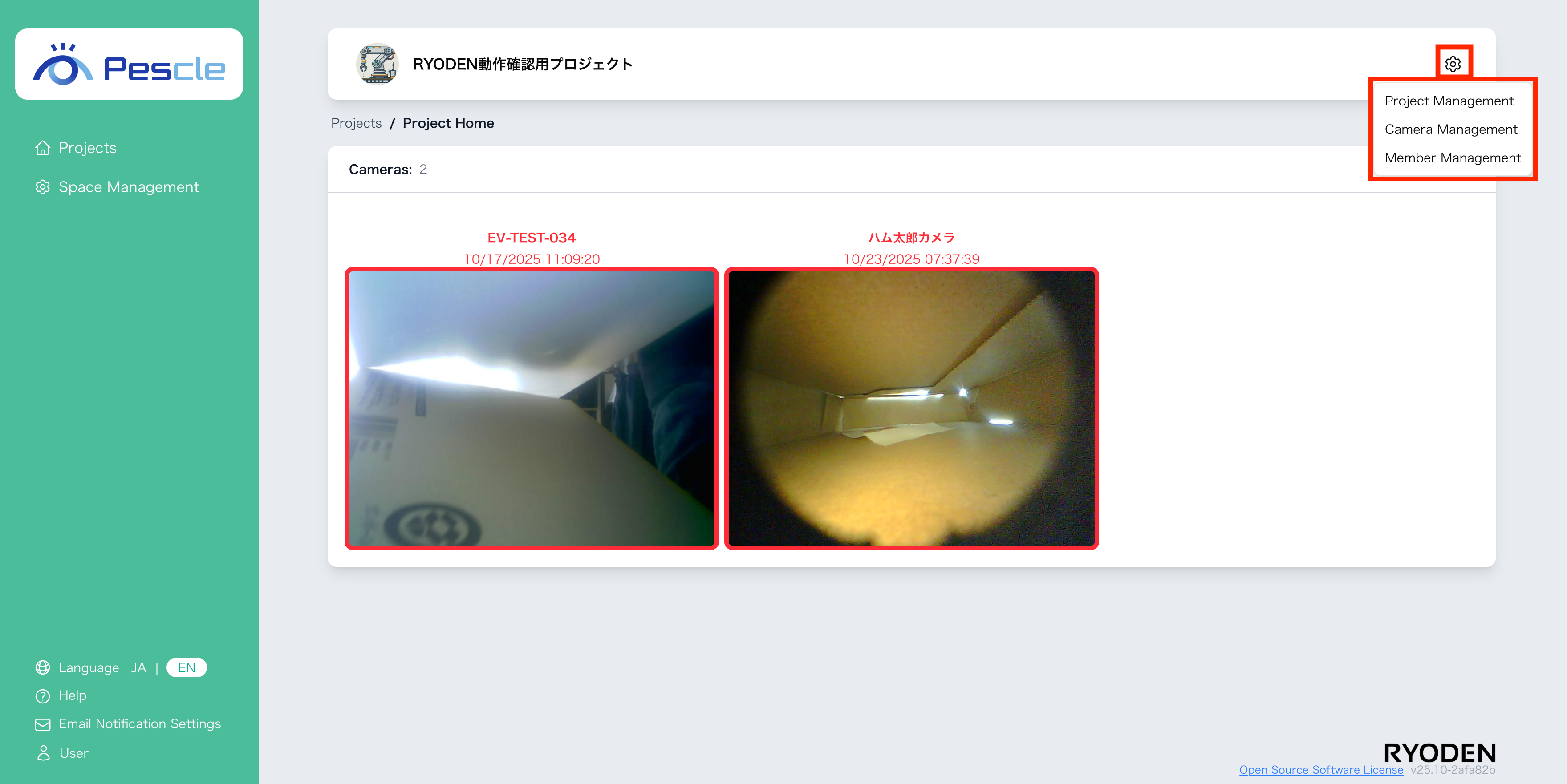
You can access this from the project home screen by clicking the gear icon in the upper right corner.
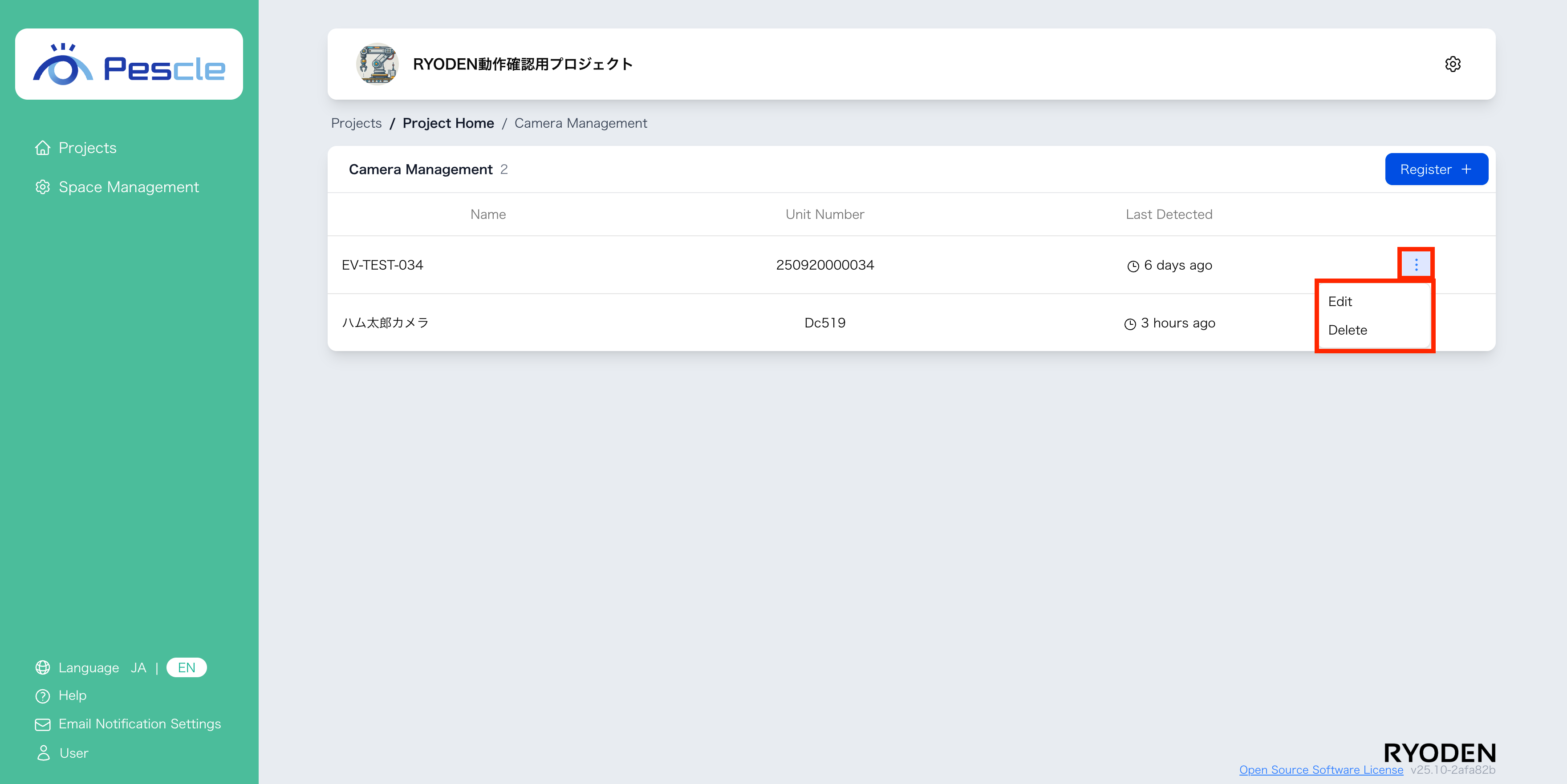
When the camera management screen is displayed, click the the vertical ellipsis on the right side of the target camera. When the submenu appears, click “Delete”.
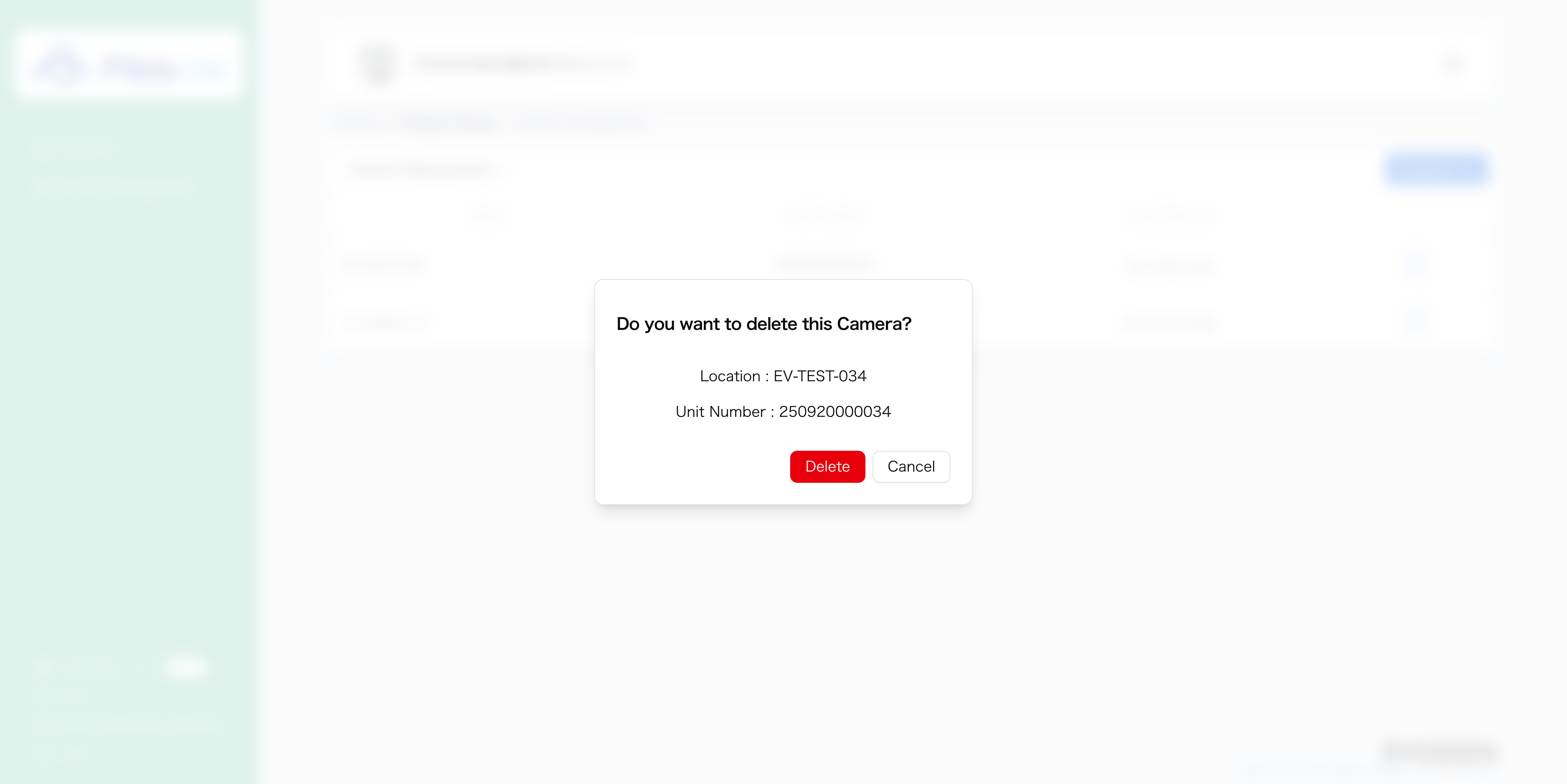
When a dialog appears asking to confirm camera deletion, click the “Delete” button.