How to Add Members to a Project
Caution
This feature is for project administrators.
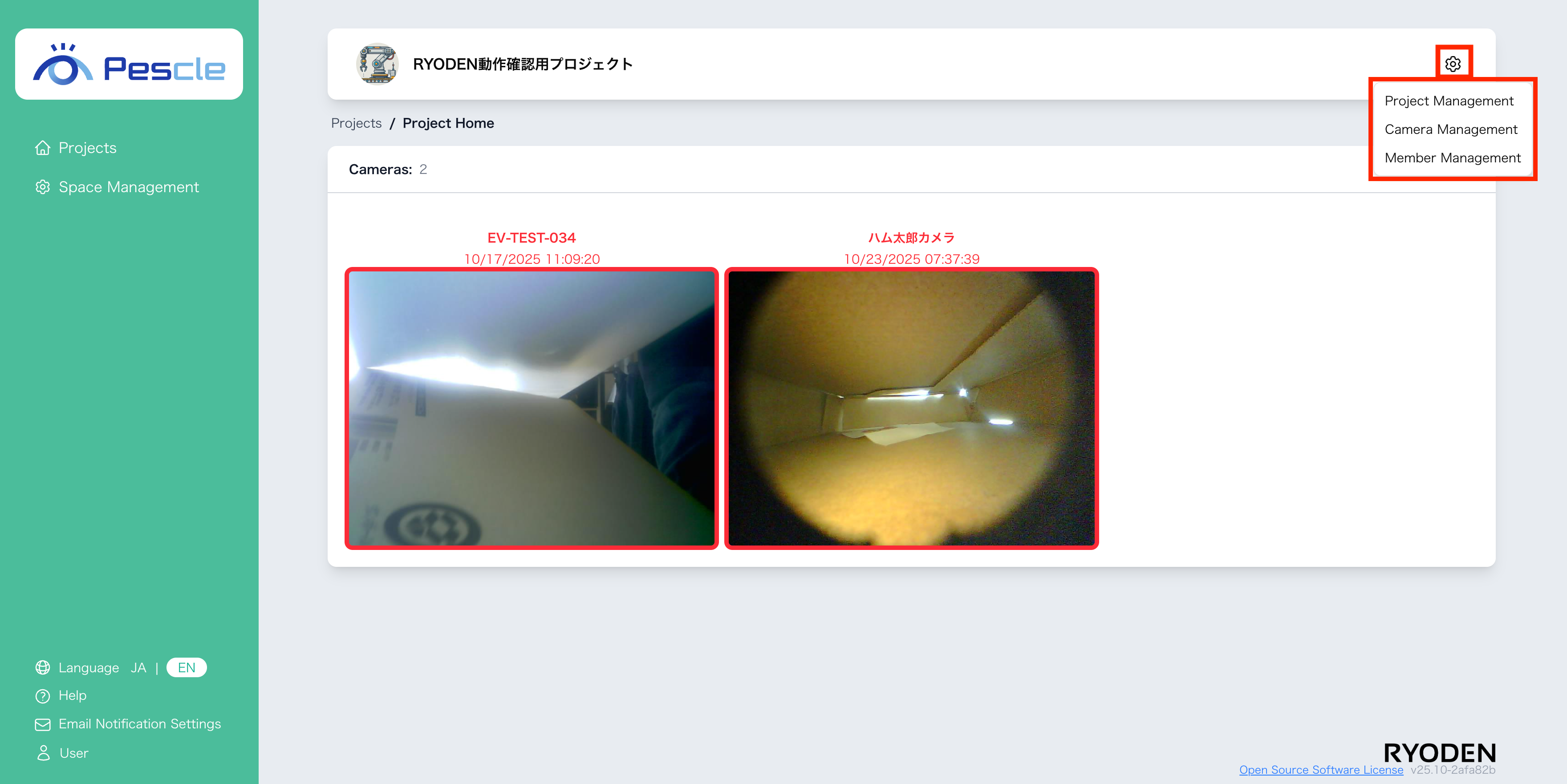
You can access this from the project home screen by clicking the gear icon in the upper right corner.
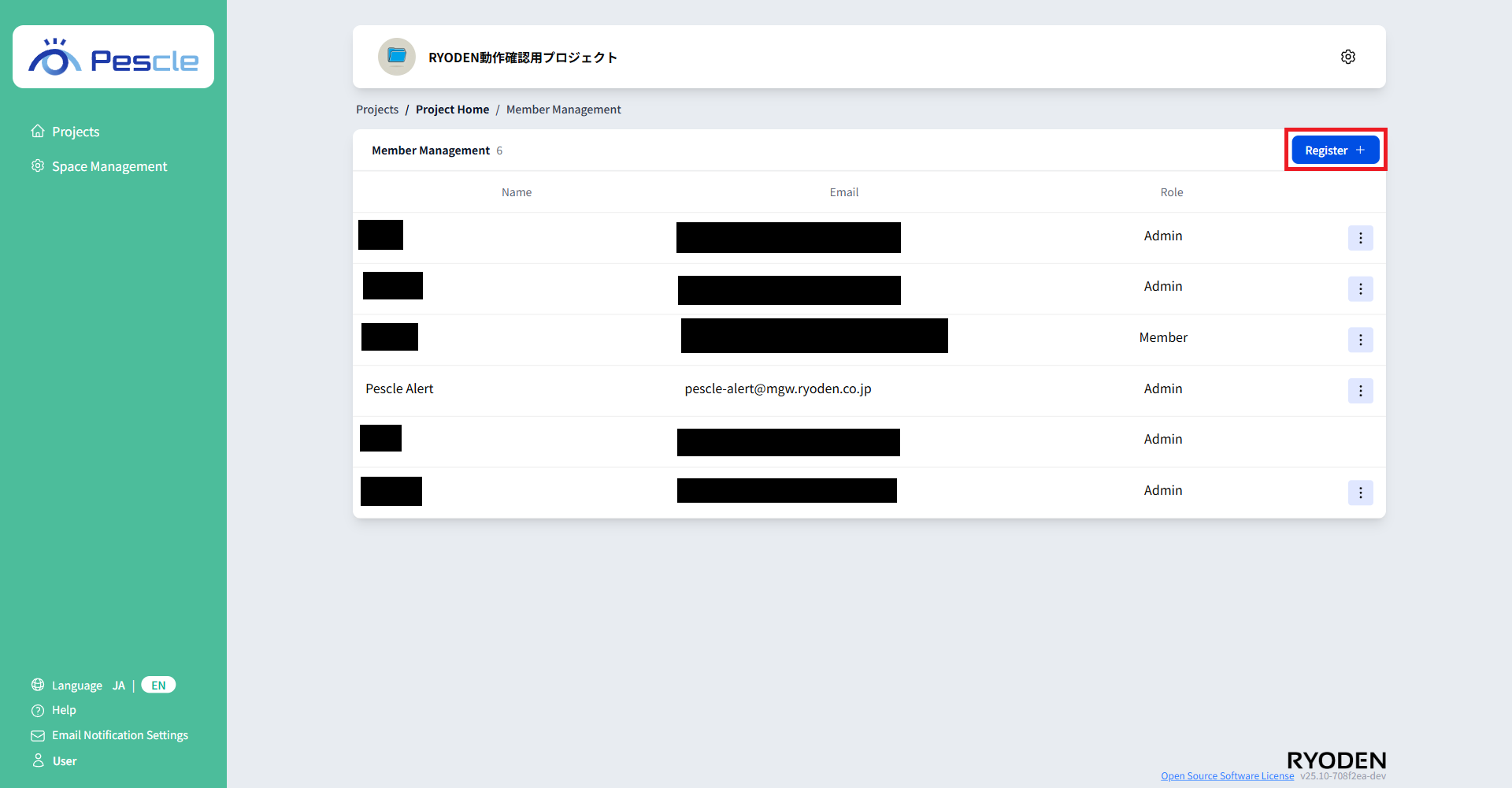
The Member Management Screen will appear, so click the “Register” button.
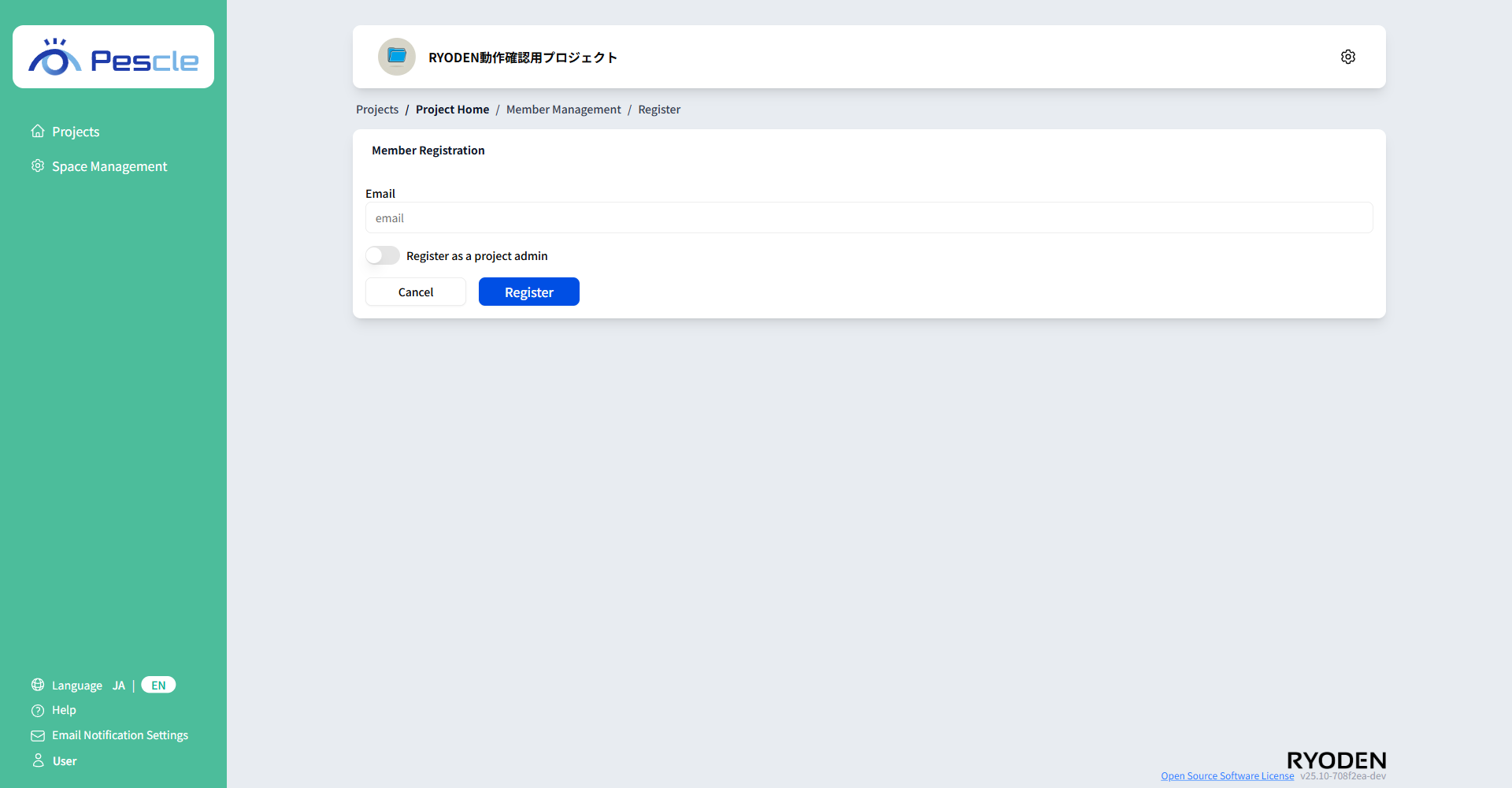
On the Member Registration Screen, enter your email address and whether you are a project administrators.Once you have completed the entry, click the “Register” button.
Hint
The following functions are available to project administrators.
Change project configure
Camera create, configure, and delete
Member create and delete
Caution
Members to be added must be registered in the space in advance using RYODEN ID.For more information, see How to Add Members.