How to enable Multi-Factor Authentication
Hint
We will explain how to use Multi-Factor Authentication. Please install the app on your smartphone in advance.
For instructions on installing the app, see Installing Google Authenticator.
Caution
For added security, enable Multi-Factor Authentication (MFA).
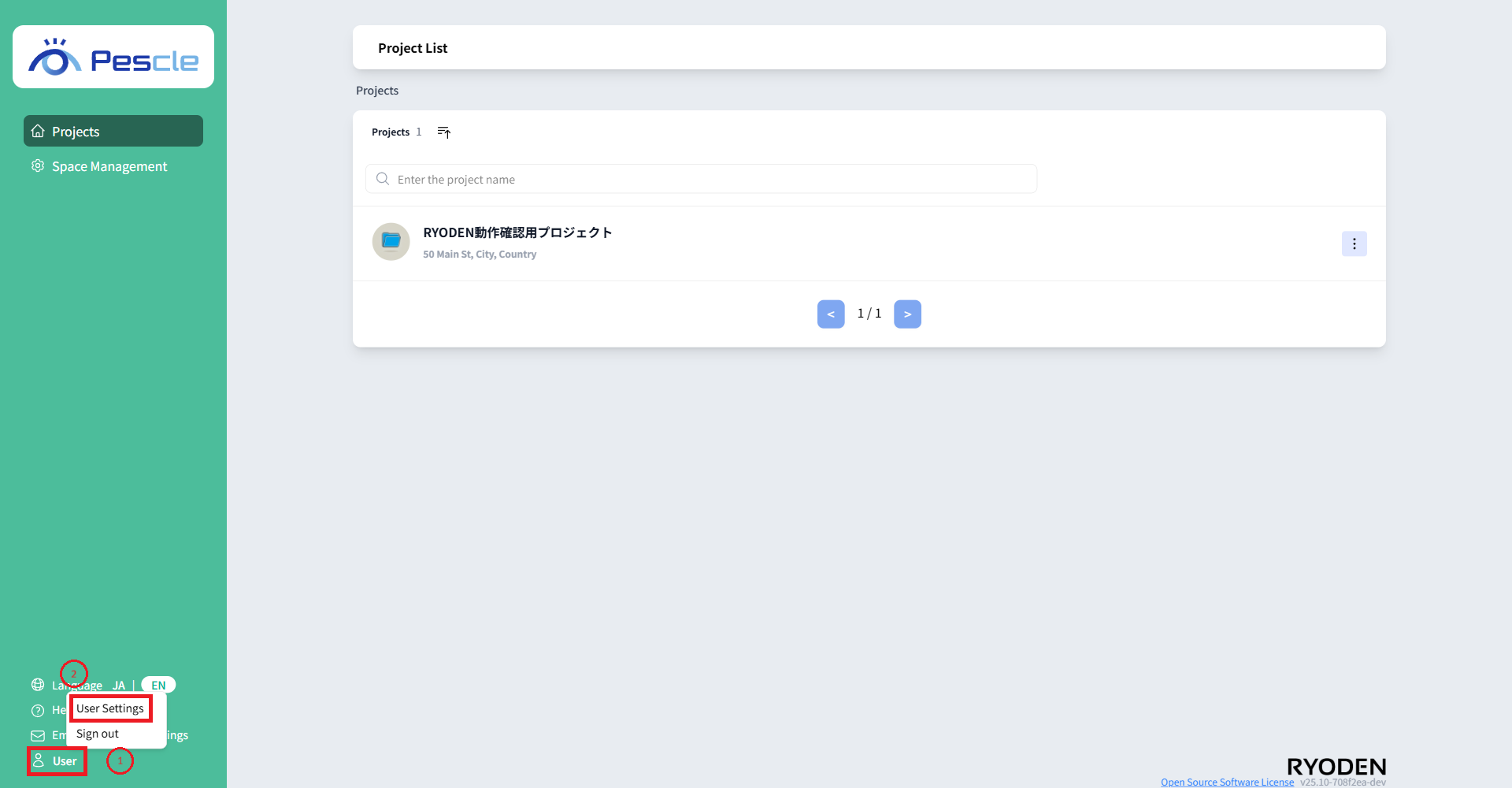
Once you’re signed in, click “User” at the bottom of the navigation bar, then click “User Settings.”
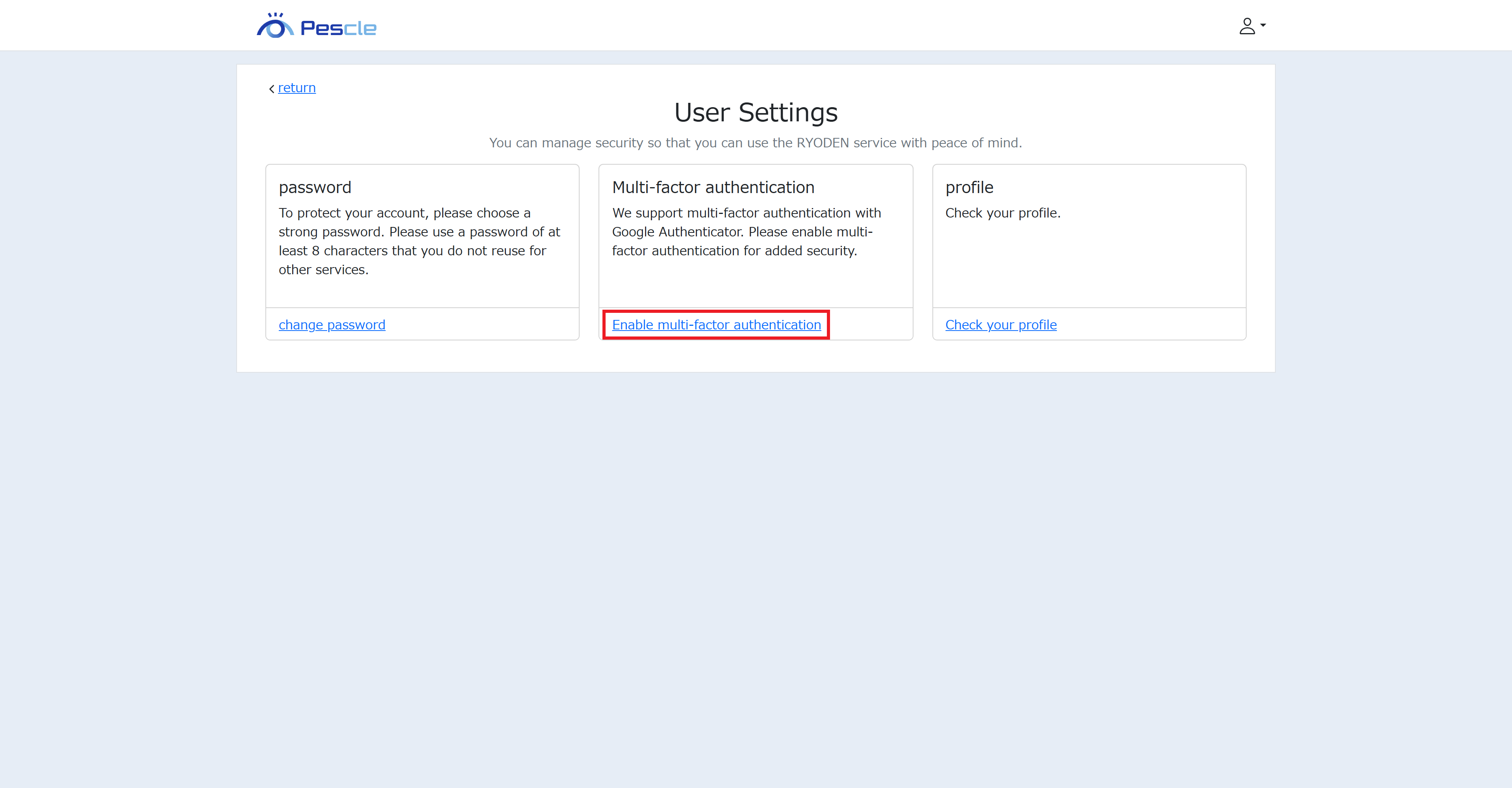
When the user settings screen appears, click “Enable Multi-Factor Authentication.”
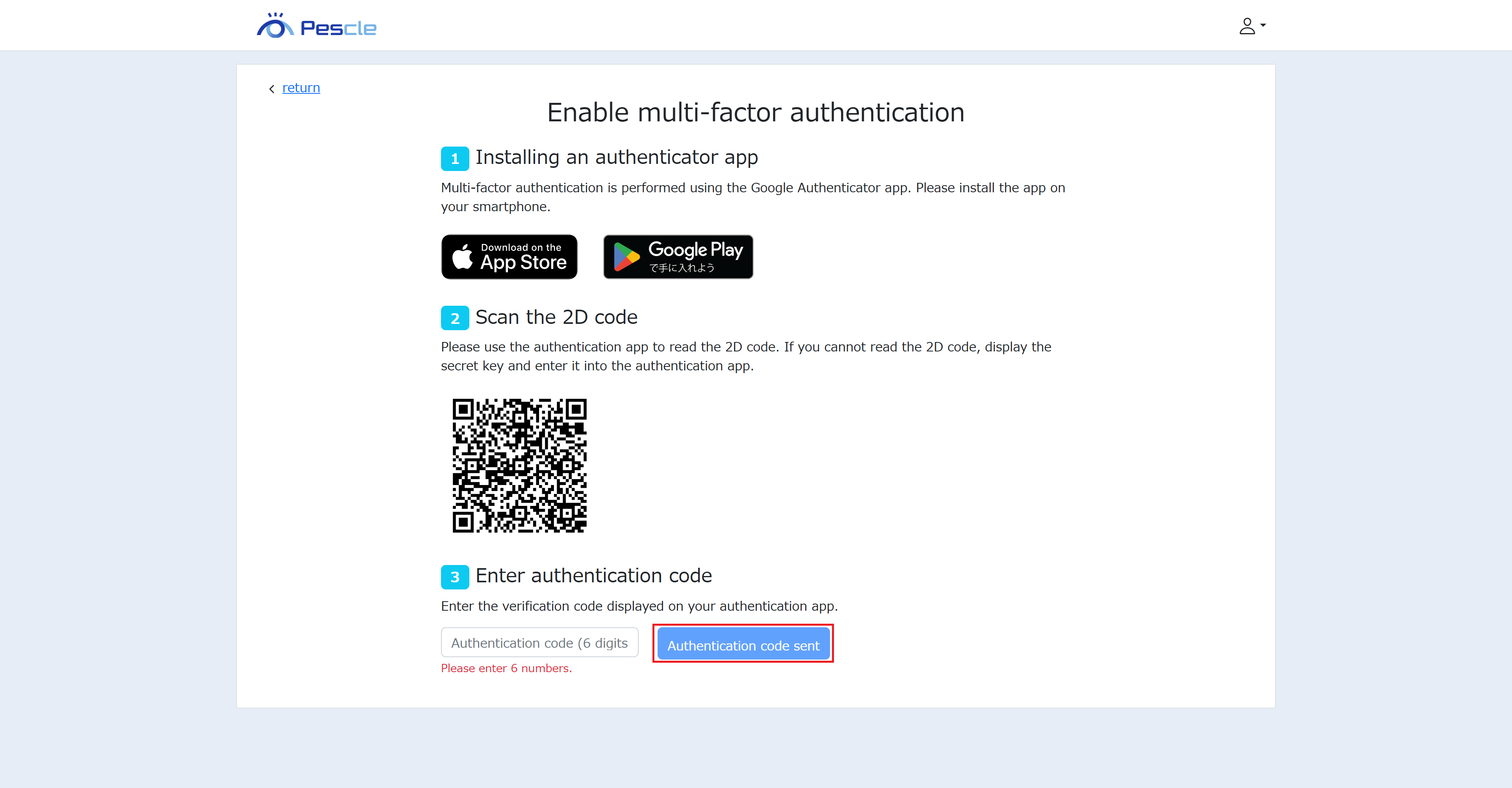
Follow the instructions on the Multi-Factor Authentication activation screen. Finally, click “Send Verification Code” to complete the process.
Caution
The 2D code displayed in the image above is a dummy.